Ready-made exam presets
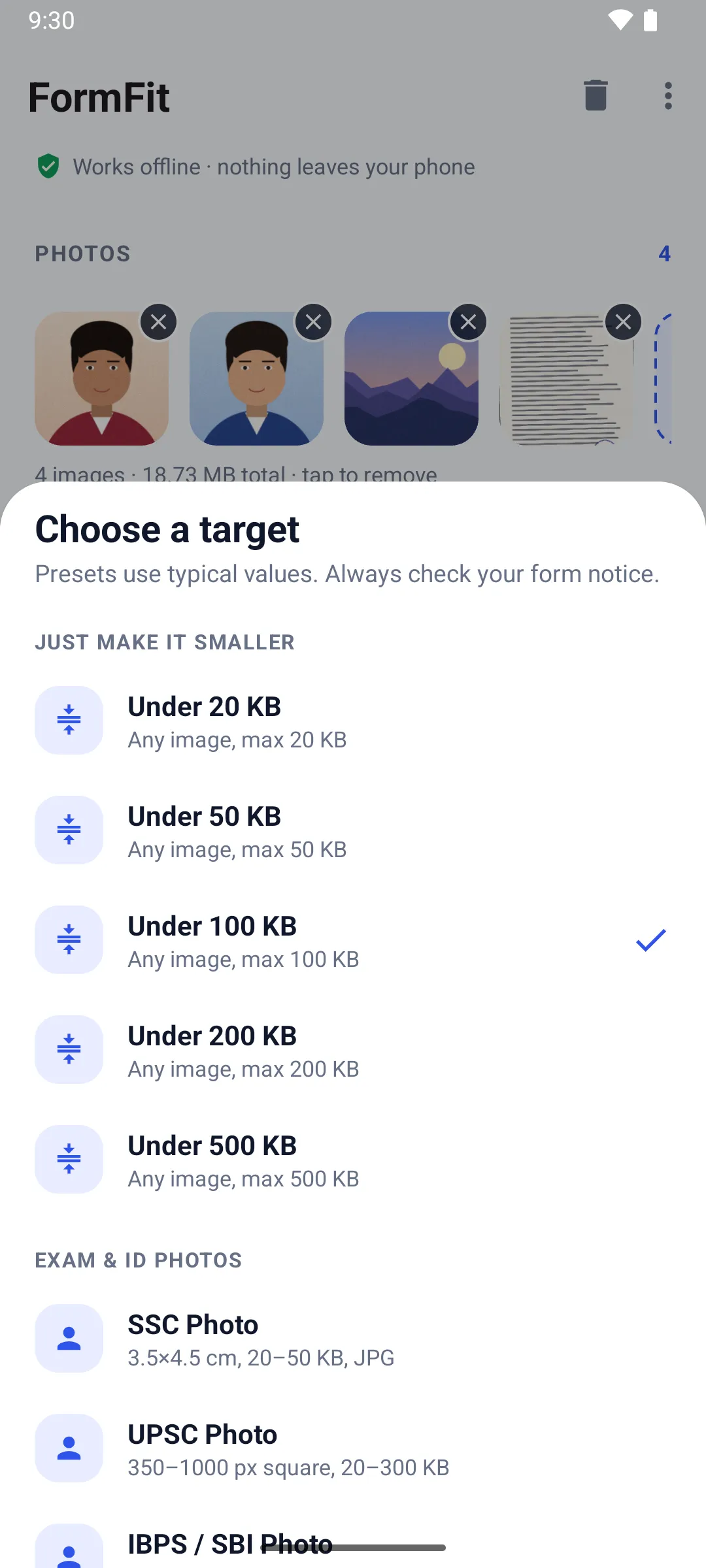
SSC, UPSC, IBPS / SBI, Railway RRB, NEET / JEE, State PSC, PAN card, passport photo. Each sets the right pixels, crop, KB range and DPI.
 FormFit
Free on Android
Stuck on “Image size must be between 20 KB and 50 KB”? FormFit resizes your photo and signature to exactly what the exam or government form asks for, in seconds and fully offline.
Step 3 of 5 · Upload documents
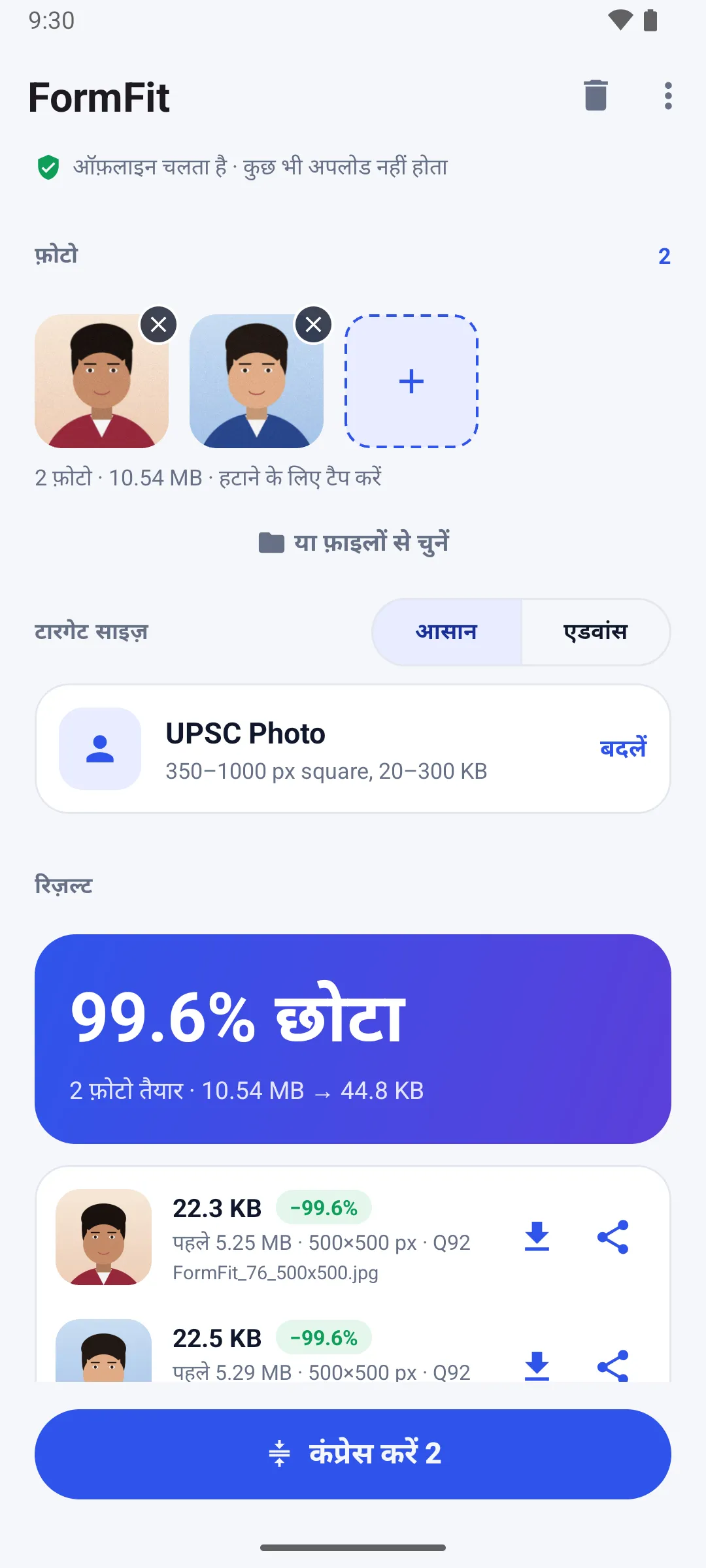
One or many, or share straight from Gallery or WhatsApp.
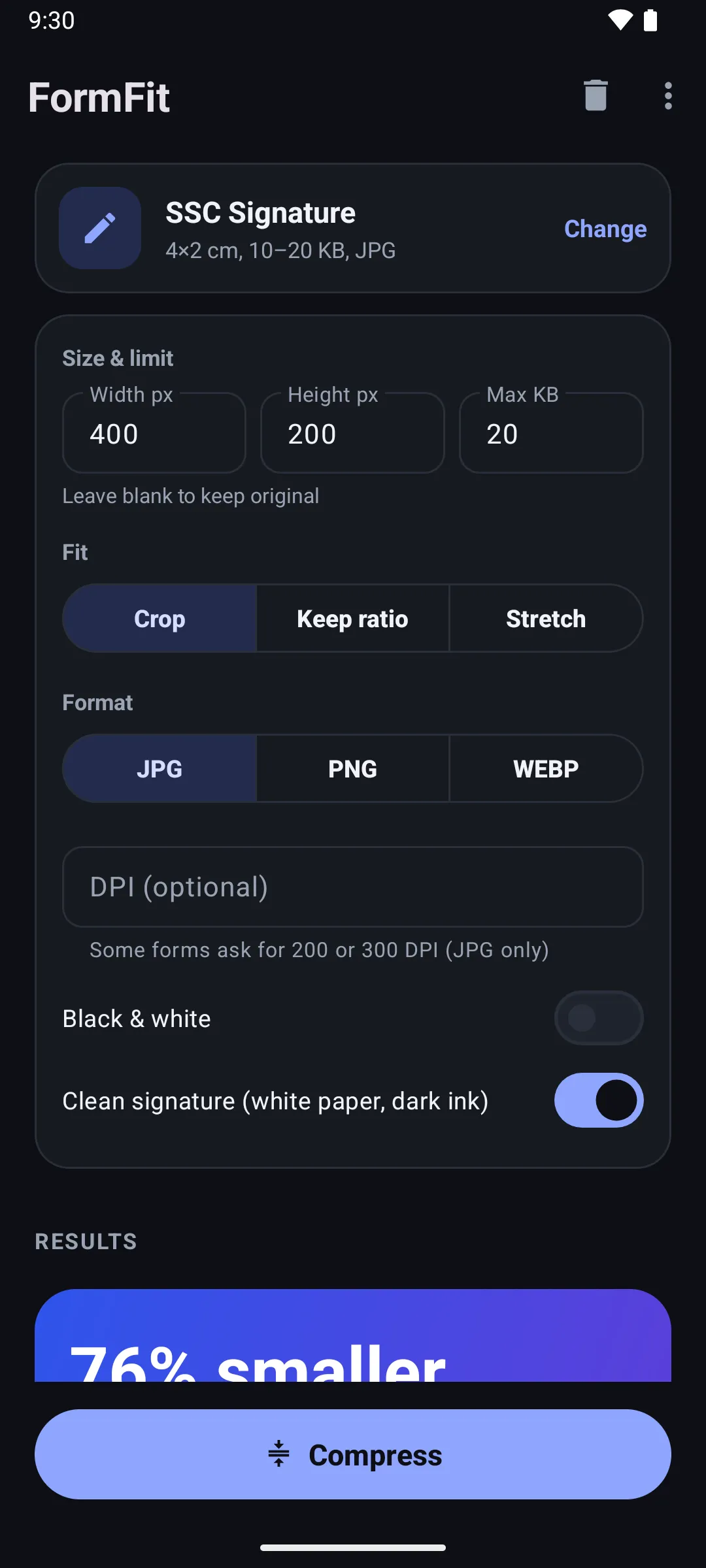
Choose an exam preset or set your own size.
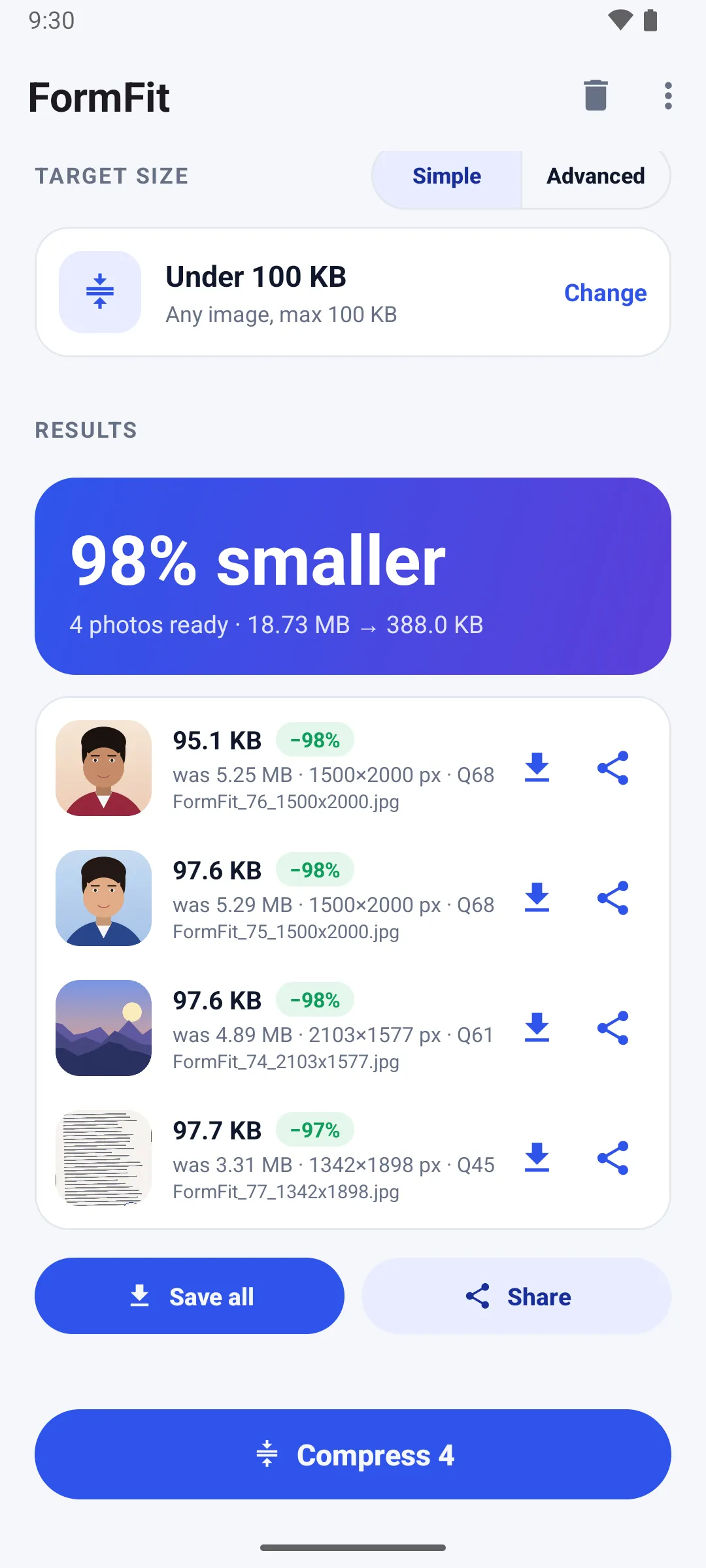
Tap Compress, then upload with confidence.
SSC, UPSC, IBPS / SBI, Railway RRB, NEET / JEE, State PSC, PAN card, passport photo. Each sets the right pixels, crop, KB range and DPI.
Meets both maximum and minimum KB limits automatically, without making the photo blurry.
Exact pixel sizes like 200×230 px, with a crop that keeps the face in frame.
Turns a phone photo of your signature into dark ink on clean white paper.
Resize up to 100 photos in one go. Convert JPG, PNG and WEBP, and see the size before and after.
No internet permission at all. Your Aadhaar, PAN and personal photos never leave your phone.
Sign on any paper, take a photo, and FormFit turns it into dark ink on white, cropped and sized for the form.
Presets use commonly published values. Always check your exam's official notification before applying, and use a custom size if it differs.
No. No watermark, no ads and no login.
In Pictures/FormFit on your phone. Nothing is uploaded, because the app has no internet permission.
